FLOW
Mail, tasks, notes and your calendar, in one app.
Flow puts your Gmail, to-dos, notes and calendar side by side, on Mac, iPhone and iPad.

Gmail
Gmail threads, labels as tags, snooze
Undo send and send later
A reminder if nobody replies
Reply drafts on your device, accepted with Tab
Turn an email into a task
Mac

IPHONE AND IPAD

Calendar
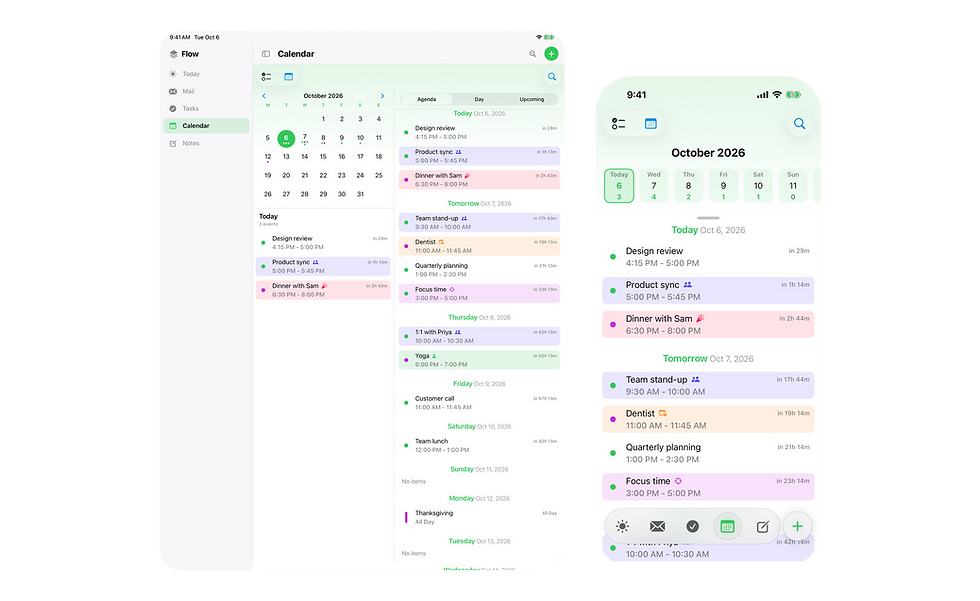
Google Calendar and Apple Calendar
Google Calendar and your Mac and iPhone calendars together
Day, week, month, year and upcoming views
Drag events and tasks to reschedule them
Time blocking next to your meetings
Event types
Mac

iPhone and iPad
To-do lists
Tasks
Type call mom tomorrow 5pm #family !high and it fills in the date, tag and priority
Lists, tags, subtasks, priorities and deadlines
Repeating tasks, from the due date or from when you finish, and edit just one occurrence
Import from Apple Reminders
Alarms and location reminders on iPhone
Mac

iPhone and iPad

Notes
Markdown files
Plain Markdown files, synced through iCloud
Folders, tags and [[links]]
Tasks you add from a note stay linked to it
A note for each meeting, with unfinished action items carried into the next one
Mac

iPhone and iPad

On Mac, iPhone and iPad

Tasks and notes sync through iCloud. Mail comes straight from Gmail.
Also included
- Today page: agenda, tasks, mail and weather in one view
Search across mail, tasks, notes and events, also in Spotlight
Quick add from the Mac menu bar
Siri and Shortcuts actions
Home Screen widgets and a share extension on iPhone
Mail summaries and reply drafts run on-device with Apple Intelligence
Notes are plain Markdown files
Gmail accounts only
Get Flow on the App Store
For macOS 26 or later, and iPhone and iPad on iOS 17 or later.